Log-Trace Correlation
Phobos provides automatic correlation between actor log records and distributed traces, so you can navigate between logs and traces in your observability platform.
How It Works
Phobos log-trace correlation works through AddAkkaTraceCorrelation() (Akka.Hosting) — an OpenTelemetry LogRecordProcessor that copies the Phobos trace context (TraceId, SpanId) from the Akka.NET log state into each LogRecord, linking every actor log to the trace span that was active when it was emitted.
This works with any OpenTelemetry logging setup. If your Akka.NET actors aren't already routing logs through Microsoft.Extensions.Logging, you can enable LoggerFactoryLogger in Akka.Hosting to bridge ILoggingAdapter calls into the MEL pipeline.
Actor log records include:
- Full structured properties - Named template parameters like
{OrderId},{CustomerId}are preserved as individual queryable fields - Trace correlation IDs -
Akka.TraceIdandAkka.SpanIdlink each log record to the Phobos trace span that was active when the log was emitted - Actor metadata -
ActorPath,LogSource, and other Akka.NET context - First-class log records - Independently queryable in any observability platform (Seq, Grafana Loki, Datadog, etc.)
Each log record's structured properties are fully queryable in your observability platform, and trace correlation IDs let you navigate directly from a log record to the associated Phobos trace:
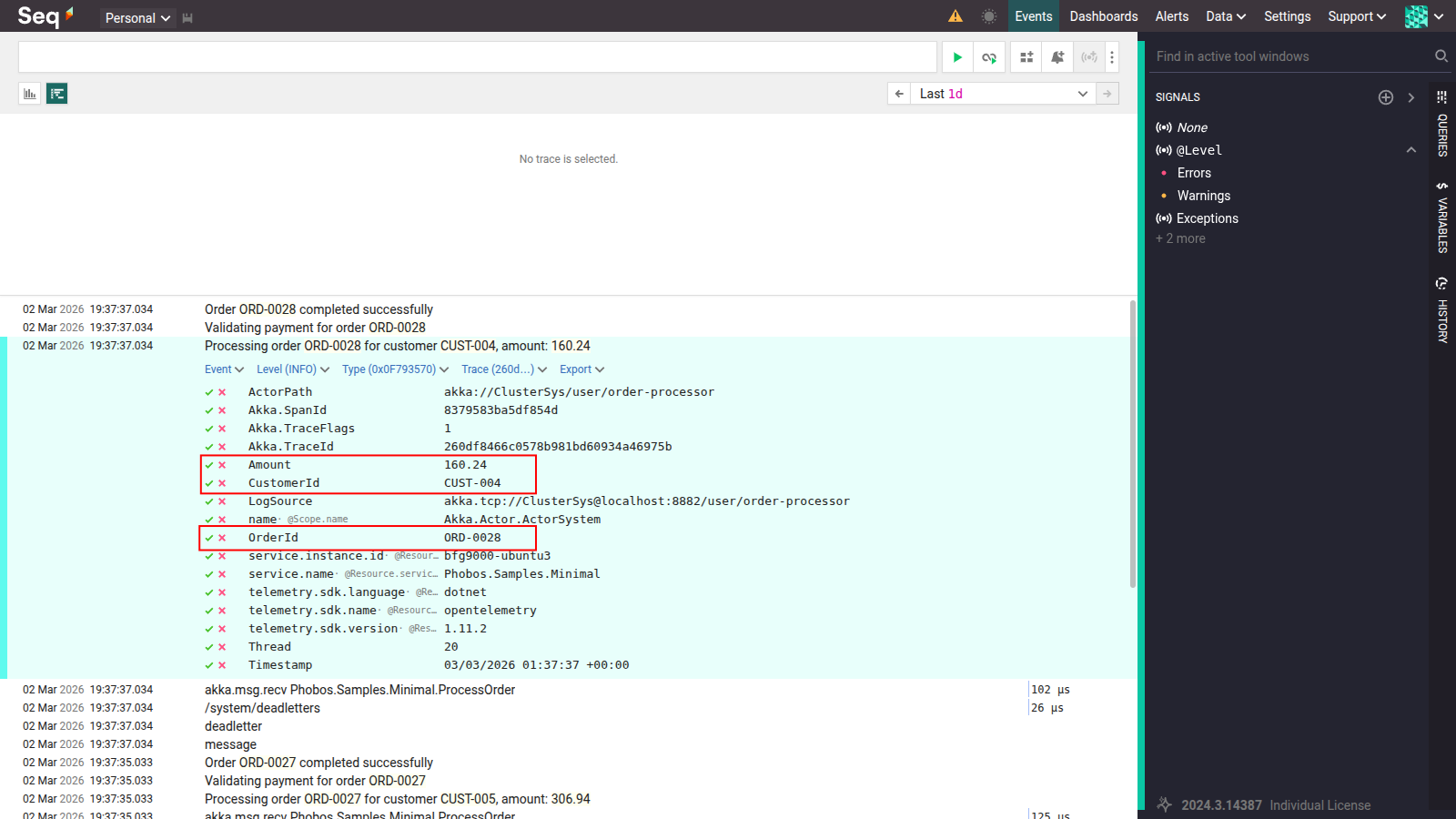
Structured Log Properties
Every named template parameter (OrderId, CustomerId, etc.) is preserved as an independently queryable field alongside trace correlation IDs
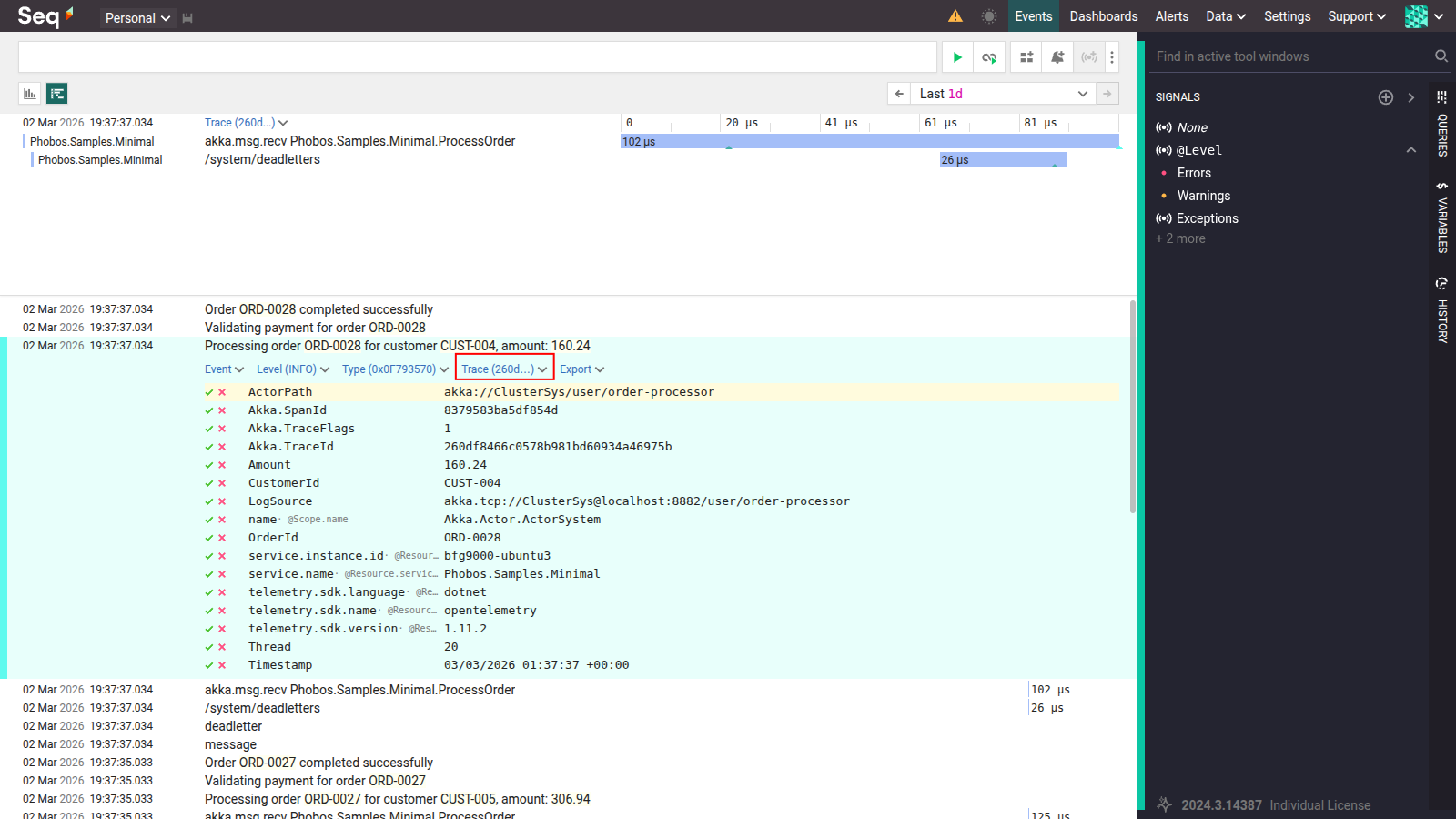
Log-Trace Correlation
Each log record links directly to the Phobos trace that was active when it was emitted via Akka.TraceId
Setup
Requirements
- Phobos >= 2.11.0
- Akka.NET >= 1.5.59
- Akka.Hosting >= 1.5.60
Step 1: Configure OpenTelemetry Logging with Trace Correlation
Add AddAkkaTraceCorrelation() to your OpenTelemetry logging pipeline. This installs a LogRecordProcessor that copies the Phobos trace context (TraceId, SpanId) into each LogRecord, enabling your observability platform to correlate logs with traces:
using Akka.Hosting;
using OpenTelemetry.Resources;

var resource = ResourceBuilder.CreateDefault()
    .AddService("MyApp", serviceInstanceId: Environment.MachineName);

builder.Logging.AddOpenTelemetry(options =>
{
    options.SetResourceBuilder(resource);
    options.IncludeFormattedMessage = true;
    options.IncludeScopes = true;

    // Copies Phobos trace context (TraceId, SpanId) into each LogRecord
    options.AddAkkaTraceCorrelation();

    // Export to your observability platform (Seq, Grafana, Aspire Dashboard, etc.)
    options.AddOtlpExporter();
});
Important
AddAkkaTraceCorrelation() is an extension method in the Akka.Hosting namespace. Make sure you have a using Akka.Hosting; directive.
Note
AddAkkaTraceCorrelation() must be registered before any exporters (e.g., AddOtlpExporter()) to ensure trace context is applied before log records are exported.
Step 2 (If Needed): Configure LoggerFactoryLogger in Akka.Hosting
If your Akka.NET actors are not already routing logs through Microsoft.Extensions.Logging, enable LoggerFactoryLogger in Akka.Hosting to bridge ILoggingAdapter calls into the MEL pipeline:
builder.Services.AddAkka("MyActorSystem", (akkaBuilder, provider) =>
{
    // Only needed if actor logs aren't already going through Microsoft.Extensions.Logging
    akkaBuilder.ConfigureLoggers(setup =>
    {
        setup.ClearLoggers();
        setup.AddLoggerFactory();
    });

    // Enable Phobos instrumentation
    akkaBuilder.WithPhobos(AkkaRunMode.AkkaCluster);

    // ... rest of your Akka.NET configuration
});
AddAkkaTraceCorrelation() stamps each LogRecord with the Phobos TraceId and SpanId. If you already have actor logs flowing through MEL via another mechanism, this step is not required.
Migrating from AppendLogsToTrace
Prior to Phobos 2.11.0, the AppendLogsToTrace feature provided basic log-trace correlation by subscribing to the Akka.NET EventStream and appending every actor log message as a text event on the currently active trace span. This feature is now deprecated and defaults to off.
Warning
AppendLogsToTrace is deprecated and will be removed in a future major version of Phobos.
Why It Was Deprecated
Logs are span events, not log records - Span events are metadata attached to a trace span. They cannot be independently queried, filtered, or aggregated. Proper log records are first-class citizens that support full-text search, structured queries, and log-specific dashboards.
Structured properties are lost - Named template parameters like
{OrderId}are formatted into a flat string. The individual property names and values are discarded, making it impossible to filter or group byOrderIdin your observability tool.FormatException with semantic templates - The Akka.NET
ILoggingAdapterusesstring.Format()-style positional placeholders internally ({0},{1}). Semantic logging templates like{OrderId}can throwFormatException.Duplicate log data - When used alongside OpenTelemetry logging, the same log message appears twice: once as a proper log record and once as a span event.
With AppendLogsToTrace, log messages were embedded as flat text span events within trace spans - no structured properties, no ability to filter or query. When both features were enabled, every log message was duplicated:
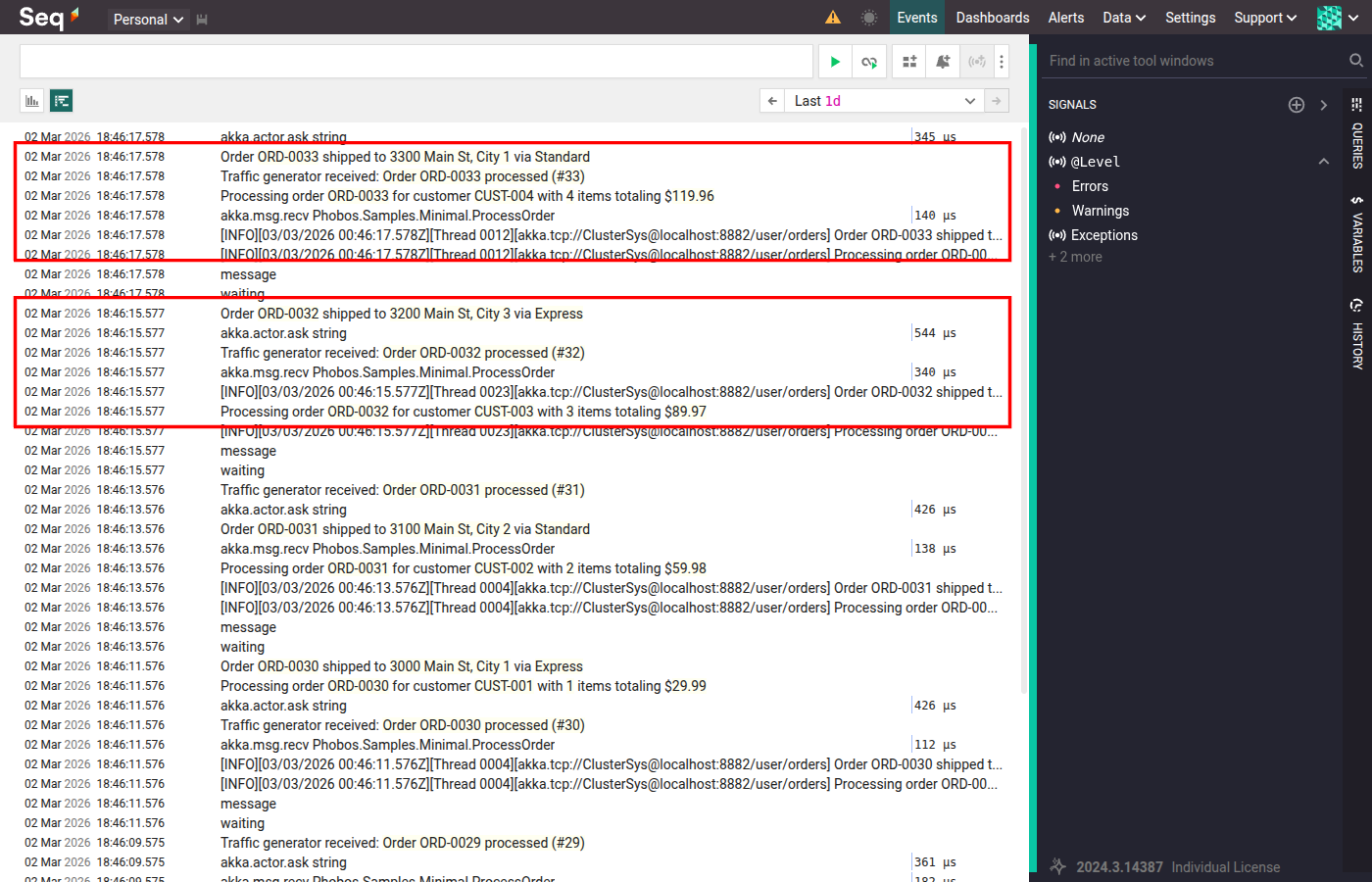
Duplicate Log Entries
Each log message appears twice - once as a proper log record and once as a flat text span event
Removing AppendLogsToTrace
If you previously enabled AppendLogsToTrace explicitly in HOCON or code, remove it:
HOCON (remove this):
phobos.tracing.append-logs-to-trace = on
PhobosConfigBuilder (remove this):
// Remove this line - it's deprecated
builder.WithPhobos(AkkaRunMode.AkkaCluster, configBuilder =>
    configBuilder.WithTracing(tracingBuilder =>
        tracingBuilder.SetAppendLogsToTrace(true)));

// Replace with:
builder.WithPhobos(AkkaRunMode.AkkaCluster);
Re-enabling AppendLogsToTrace
If you need to keep the old behavior temporarily during migration, you can re-enable it:
HOCON:
phobos.tracing.append-logs-to-trace = on
PhobosConfigBuilder:
#pragma warning disable CS0618 // Suppress deprecation warning
builder.WithPhobos(AkkaRunMode.AkkaCluster, configBuilder =>
    configBuilder.WithTracing(tracingBuilder =>
        tracingBuilder.SetAppendLogsToTrace(true)));
#pragma warning restore CS0618
FAQ
Do I need LoggerFactoryLogger?
Only if your Akka.NET actors aren't already routing logs through Microsoft.Extensions.Logging. The only thing required for trace correlation is AddAkkaTraceCorrelation() in your OpenTelemetry logging pipeline. LoggerFactoryLogger is a separate concern — it bridges Akka.NET's ILoggingAdapter into MEL, which is needed if you want actor logs to reach your OTel pipeline at all. If you've already configured MEL routing for your actors, no additional setup is required.
Will this affect my existing traces?
No. Phobos continues to create and manage traces exactly as before. The only change is how actor logs are captured - as proper log records instead of span events.
What about actors that use ILoggingAdapter directly?
ILoggingAdapter works seamlessly with LoggerFactoryLogger. When an actor calls _log.Info("Processing {OrderId}", orderId), the message flows through:
ILoggingAdapter(actor code)LoggerFactoryLogger(Akka.Hosting bridge)Microsoft.Extensions.LoggingpipelineOpenTelemetry LogRecordProcessor(includingAkkaTraceContextProcessor)- OTLP exporter to your observability platform
No changes to actor code are required.